On the App Store and Google Play · free
The right people for your home —now on your phone.
A babysitter for tonight, cleaning, a caregiver for mum or a tutor — near you and in your language. Tell Ezra in your own words and browse profiles, even before you sign up. No more “anyone know a good nanny?” in ten group chats.
- English, Hebrew, Russian, French
- Browse profiles before signing up
- In-app chat
Sound familiar?
Before: ten groups and chats. Now: one app.
- The usual way: You post “anyone know a good babysitter?” in groups and wait.With EzraHome Connect: You tell Ezra once — and see who’s nearby.
- The usual way: You dig through old chats for a recommended number.With EzraHome Connect: All messages with the helper are in the app chat.
- The usual way: You can’t tell if the person speaks your language.With EzraHome Connect: Languages are right on the profile.
- The usual way: You call everyone who replied in the group.With EzraHome Connect: You post a job — helpers nearby respond.
- The usual way: Good contacts get lost in the feed.With EzraHome Connect: Profiles you like are saved to favorites.
Why the app
The website is good for searching. The app is where you agree on things.
You won’t miss a reply
Someone wrote to you — a notification arrives even when the app is closed.
Open it and carry on
No hunting for a tab or signing in again. Your chats and favourites are right there.
Use your voice
Dictate a message and it is sent as text. Handy when your hands are full.
18 seconds
See how it works.
Real app screens: a talk with Ezra, a profile, chat and jobs. The people in the video are fictional.
Inside the app
Everything you need to find the right person.
Real EzraHome Connect screens — exactly what you’ll see after installing.
01
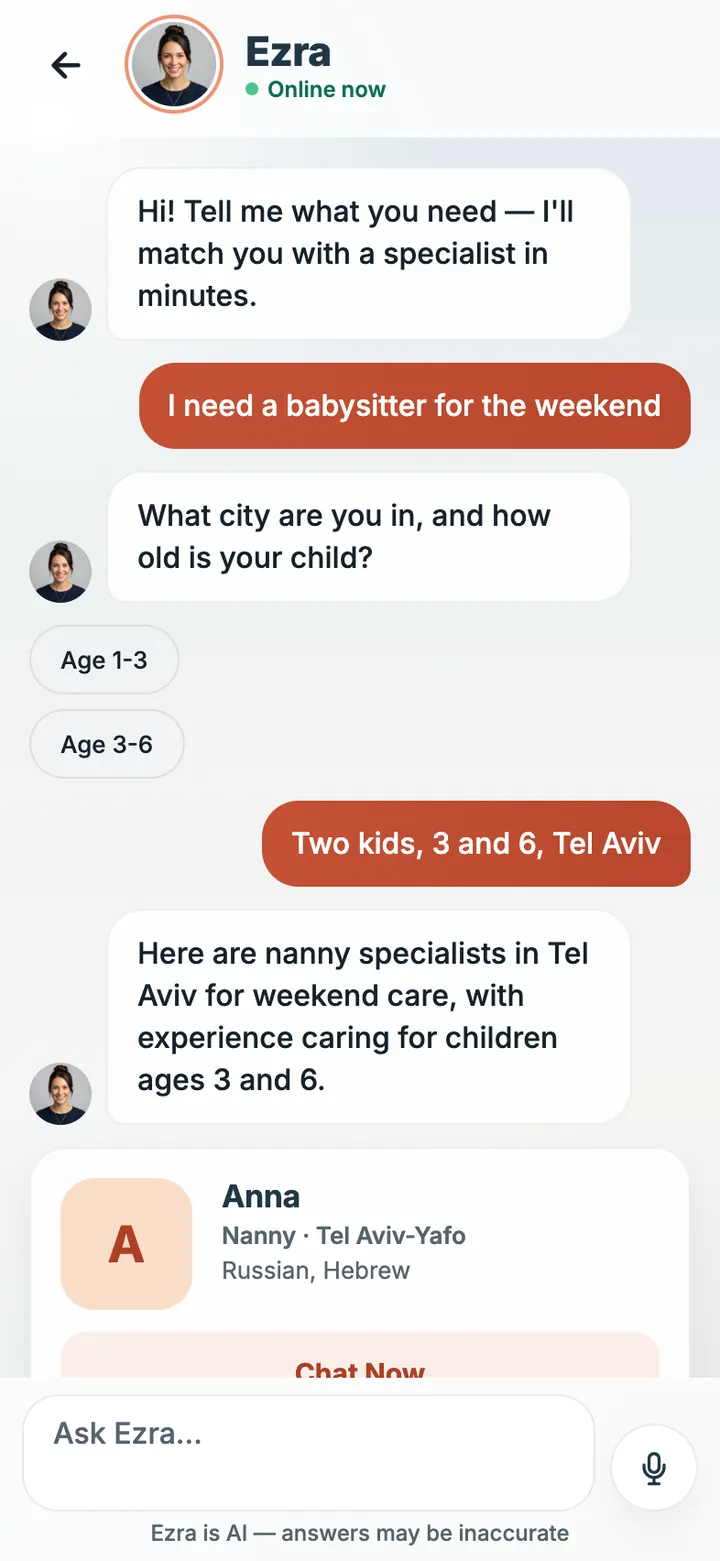
Talk to Ezra
Describe it in your own words. Ezra asks for details and shows matching profiles.
02
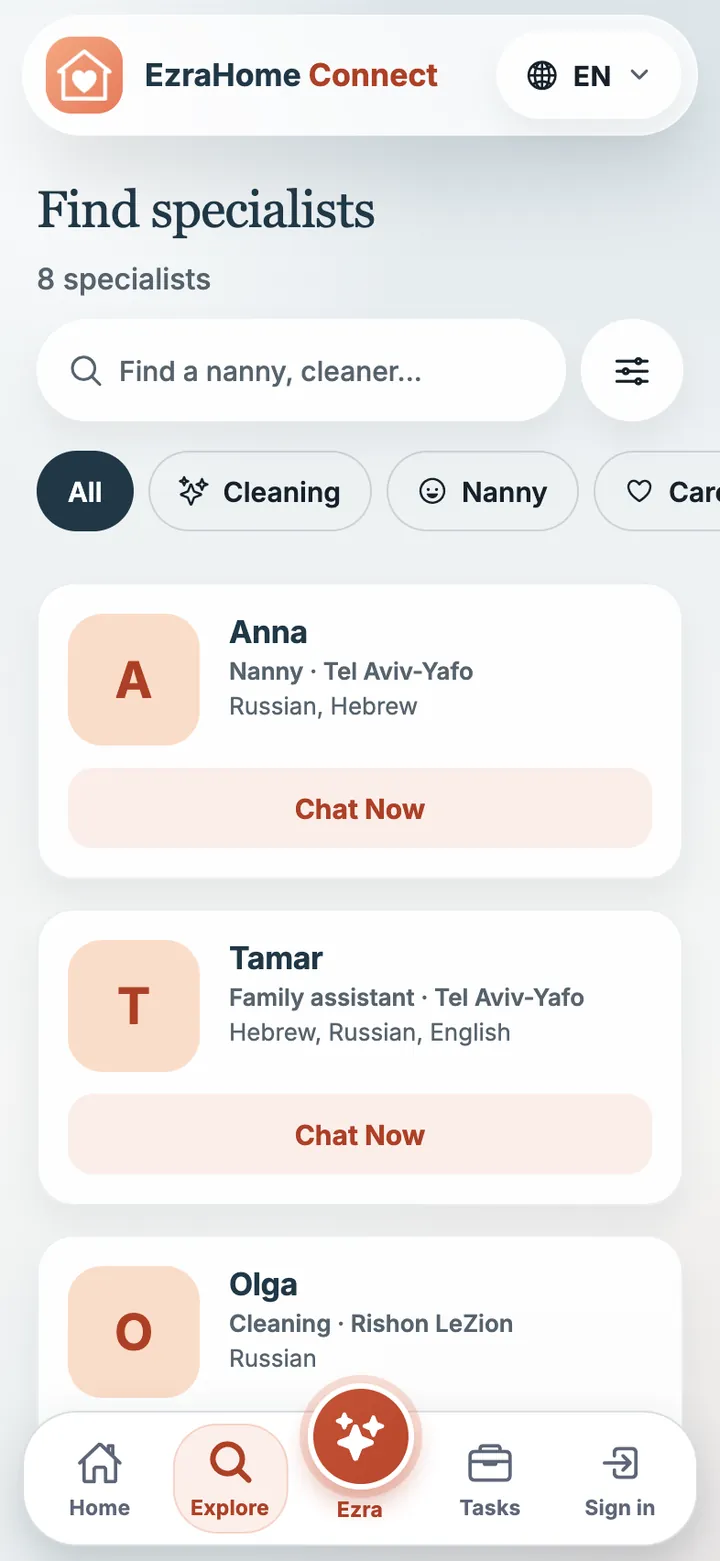
Search nearby
Babysitters, cleaners, caregivers, tutors, pet care — filter by city and language.
03
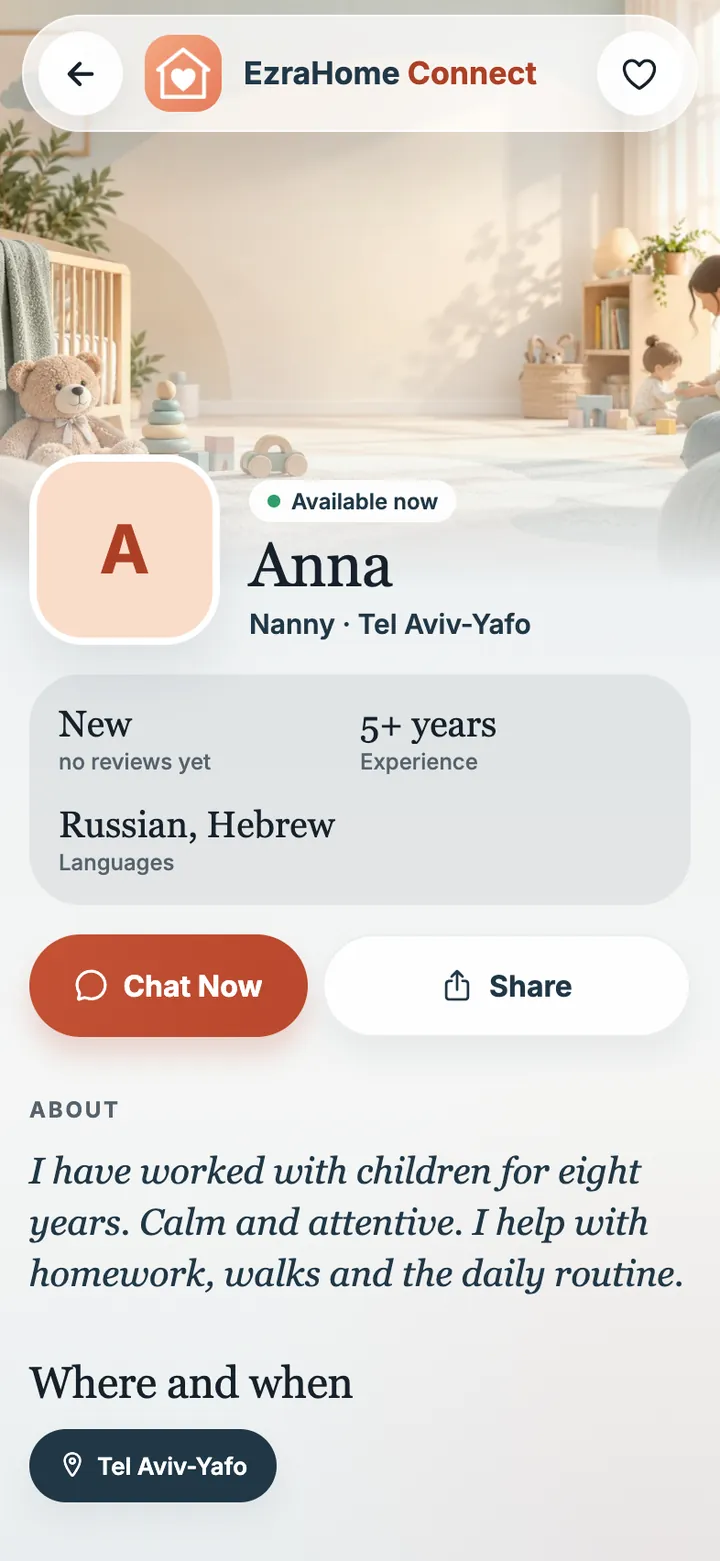
Profile
About, experience, languages and work area — before the first message.
04
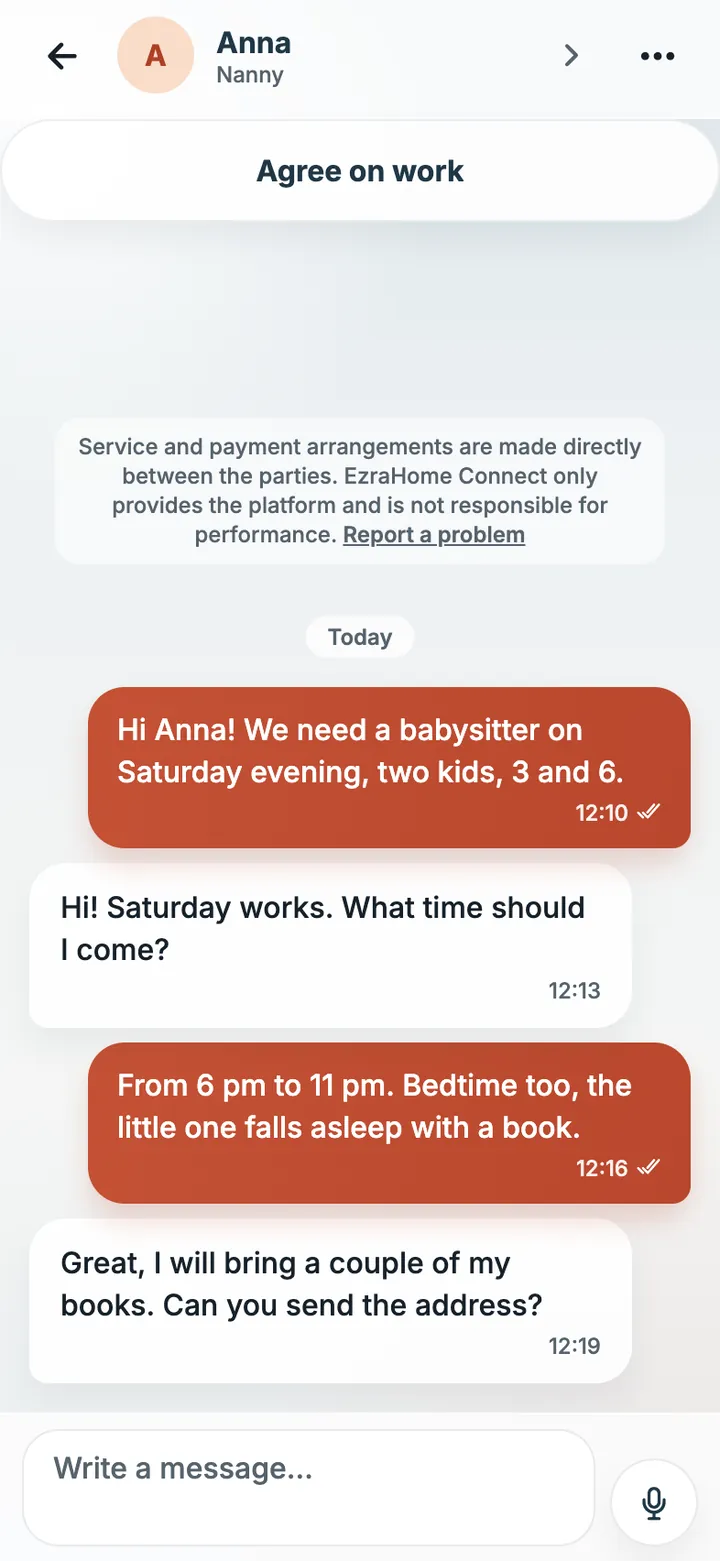
Chat
Agree on time and details in the app, no number hunting.
05
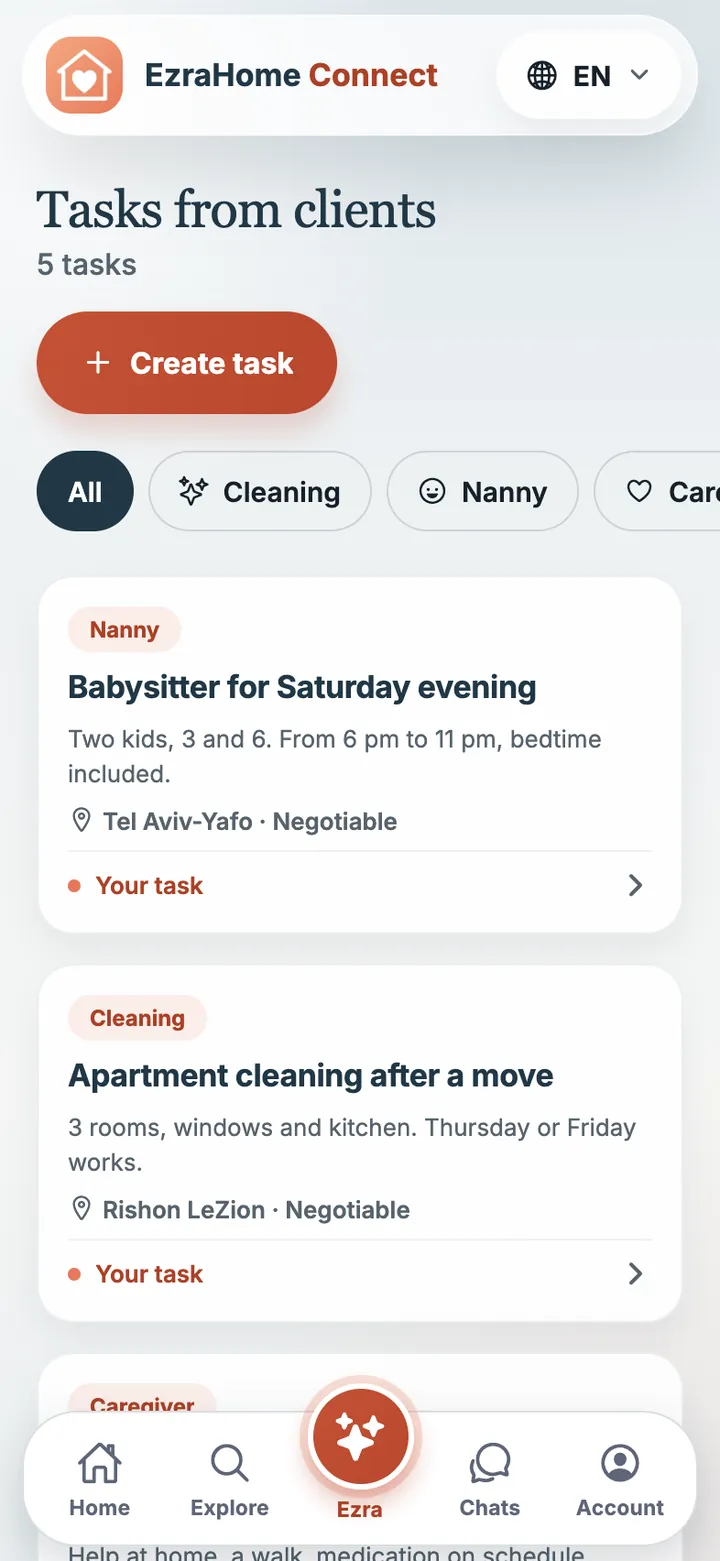
Jobs
Describe the job — helpers nearby get notified and respond.
06
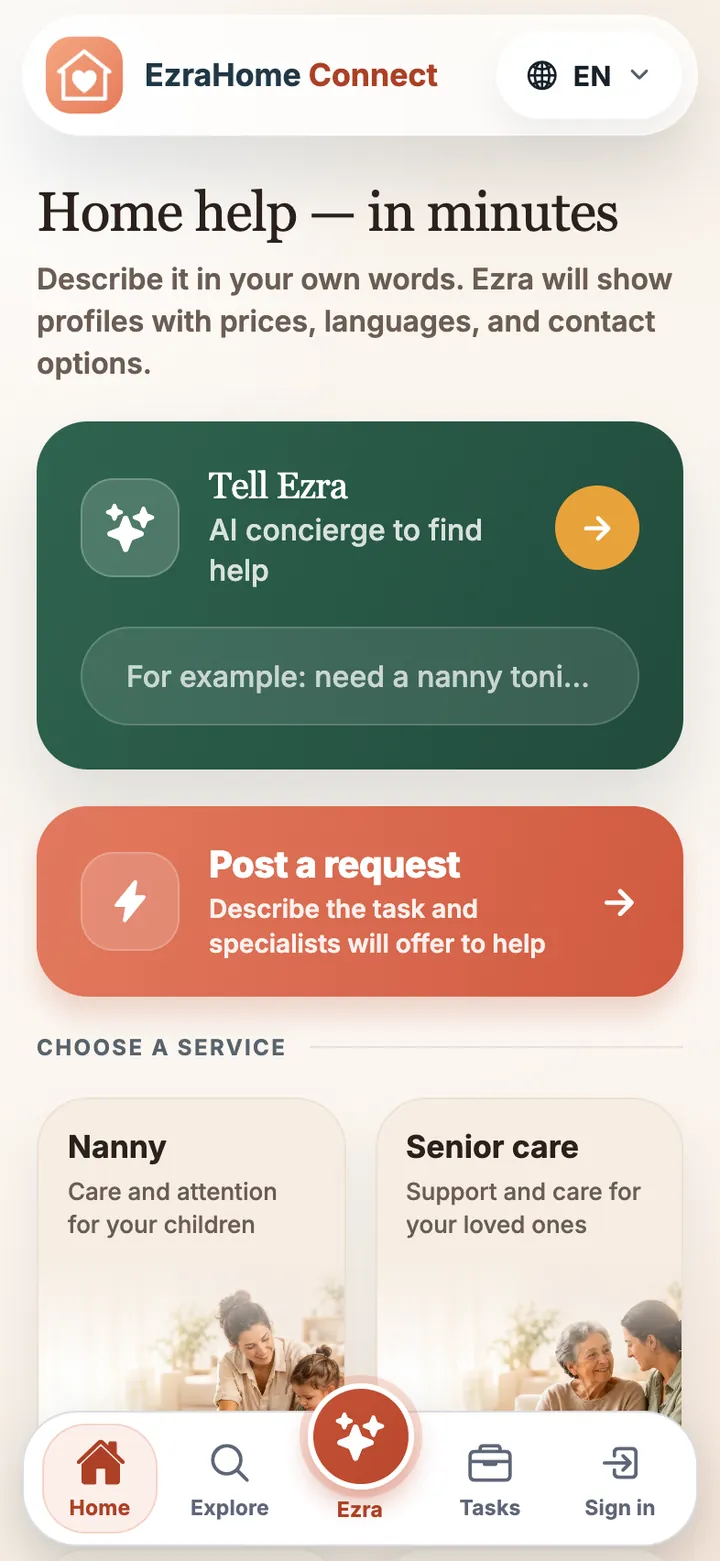
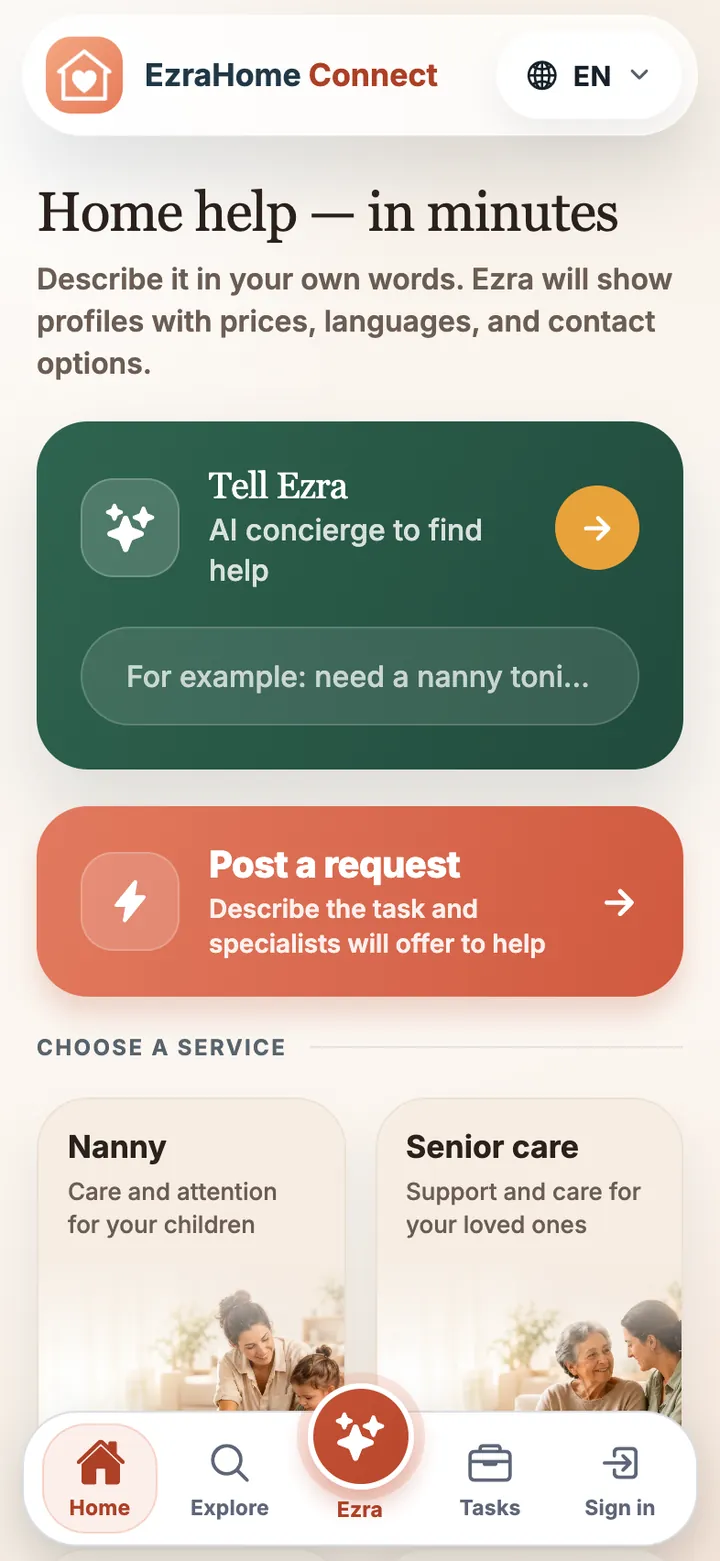
Home
Ezra, jobs and every service on the first screen.
How it works
Three steps from “need help” to “it’s agreed”.
- 1
Say what you need
Ezra asks only the essentials: where, when and for whom.
- 2
Check profiles
Experience, languages and area on one screen.
- 3
Message in chat
Agree on time and details, and save the ones you like.
For helpers
You help at home? Let families near you find you.
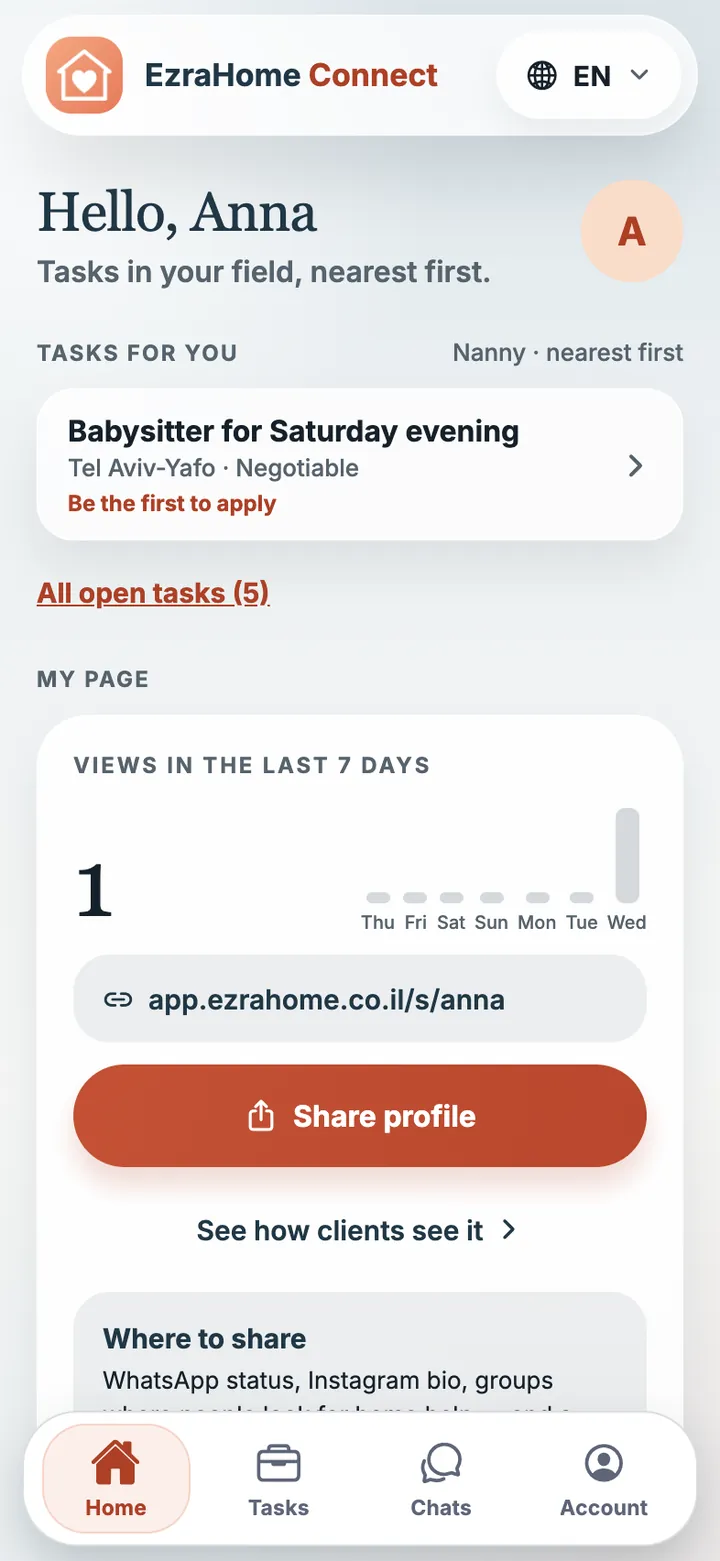
No more hunting for work in groups. Jobs in your profession come to you, nearest first, and your own page with photos and a description speaks for you.
- Jobs in your profession — nearest first
- A notification when a new job is nearby
- Your own page that’s easy to share
- Messages with clients in the app
Peace of mind
What we do so you can feel at ease.
Profiles are moderated
A profile appears in search only after moderation.
Report and block
Something feels off — report or block the person right from the chat.
Your data is yours
You can delete your account at any time, right in the app.
Free to install
You can browse profiles before you sign up.
Install
One minute, and the app is on your phone.
iPhone
Now on the App Store
The app is free. Browse profiles nearby; you only need an account when you want to message someone. It is shared with the website.
Download on theApp StoreOn a computer — the web version
Everything works in the browser too, with the same account. Phone notifications are easier to get in the app.
Questions
The short version.
Where can I get the app?
On the App Store for iPhone and on Google Play for Android. Installing is free.
Can I use it now?
Yes. Install the app or open the web version at app.ezrahome.co.il — the account is shared, so you sign in with the same details.
Why the app if there is a website?
So you don’t miss a reply: the notification reaches your phone even when the app is closed. And there is no need to sign in again — open it and carry on.
Which languages does the app speak?
English, Hebrew, Russian and French. Switch the language in settings any time.
Who is Ezra?
Ezra is an AI concierge. It asks for details and shows matching profiles. AI answers can be inaccurate, so the choice is always yours: check the profile and ask questions in chat.
I’m a helper. Is this for me too?
Yes. In the app you see jobs nearby, get notified about new ones and message clients. You can fill in your profile today in the web version.
EzraHome Connect
The right people for your home — on your phone.
Free on the App Store and Google Play.